
The Voice-to-Action Workflow: The Definitive Guide to Managing Life in the Flow - TheBloggersContent
Hands-Free Productivity: How to Setup and Use Gemini Live, Siri 2.0, and GPT-5 to Reclaim 10+ Hours a Week.
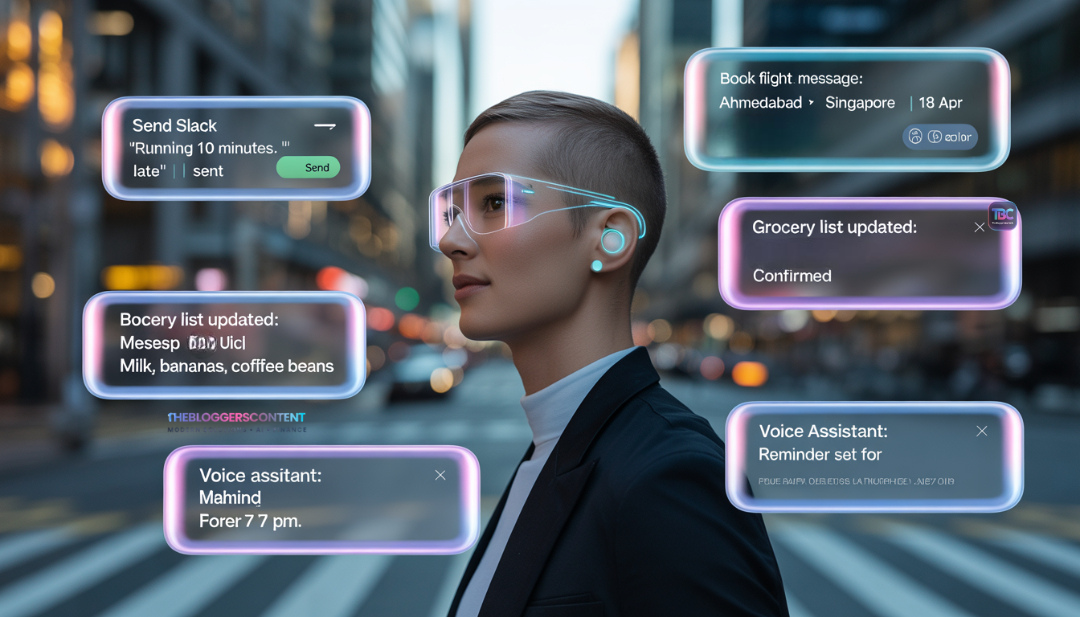
For a decade, we were promised that voice assistants would change our lives. Instead, we got speakers that could only set timers or tell us the weather. But in early 2026, the technology finally caught up to the vision. We have moved from "Voice Search" (just asking questions) to "Voice-to-Action" (V2A) where the AI actually executes tasks.
The V2A workflow is a system where you use natural, fluid conversation to execute multi-step tasks that previously required a screen, a keyboard, and 10 minutes of your time. Whether you are navigating the streets of Ahmedabad, cooking a meal, or even just walking through an airport, V2A allows you to be "In the Flow" without ever breaking your physical momentum.
Personally, I’ve started using the Google Assistant on my Android phone as my primary "Life Agent." It has completely changed how I work. When I’m busy coding or commuting, I simply talk to my AI to clear my inbox or schedule meetings. It’s like having a digital twin that handles the "boring stuff" so I can focus on the creative work.
Google Assistant vs. Siri: Which AI Assistant is Better?
When users ask "Which one is better: Google Assistant or Siri?" the answer depends on what you value more: logic or privacy.
The Case for Google Assistant (Gemini):
Google Assistant, now powered by Gemini 3 Pro, is the undisputed king of "Logic and Reasoning." If you use Google Workspace (Docs, Gmail, Calendar), it is unbeatable. It can read through hundreds of emails and summarize the "Action Items" for you in seconds. It’s the best "Work" assistant for people who need to get things done across different apps.
The Case for Siri 2.0 (Apple Intelligence):
Siri 2.0 excels in "System Integration" and privacy. If you want to say, "Siri, find the photo of the receipt I took last Tuesday and email it to my accountant," it does so flawlessly because it lives deep inside the iPhone’s operating system. It’s faster for on-device tasks and offers better privacy because much of the processing happens locally on your phone.
The Verdict: If you want an AI like Siri but with more "brains" for professional tasks, Google Gemini is the way to go. If you want a seamless, secure, and private device manager, stay with Siri.
How to Setup Voice-to-Action on Your Mobile Device
Setting this up isn't just about turning on a toggle; it’s about granting the right "Agentic Permissions" so the AI can actually take action in your apps.
How to Setup Google Assistant & Gemini Live on Android
If you're wondering how to setup Google Assistant in an Android phone for the new 2026 workflow, follow these steps:
- Open the Gemini App and tap your Profile Picture.
- Go to Gemini Extensions and enable Google Workspace, Maps, and WhatsApp. This is vital for the AI to "act" on your behalf.
- Go to Settings > Google Assistant > Hey Google and ensure "Lock Screen" access is ON.
- Open Gemini Live and select a voice that is clear.
- The Key Step: Create a "Gem" (Custom Agent) named "Life Manager." Give it instructions to always summarize your tasks before finishing. Now, whenever you trigger it, it knows exactly how to handle your schedule.
Setup for iPhone (Apple Intelligence / Siri 2.0)
For iPhone users looking for an AI like Siri but with the power of 2026, here is the setup:
- Ensure you are on iOS 19.x or higher with Apple Intelligence enabled in Settings.
- Go to Settings > Siri & Search and enable "Listen for 'Siri'."
- Navigate to Settings > Accessibility > Voice Control and set up custom commands for your most-used apps (Slack, Notion, etc.).
- The Pro Hack: Go to the Shortcuts App and create a "Voice Trigger" for ChatGPT. Assign this to the Action Button (iPhone 15 Pro+) for instant access to a smarter "reasoning brain" when Siri hits a limit.
Real-World Use Cases: Normal vs. Emergency
The V2A workflow shines when your hands are busy but your brain is moving at 100mph.
Normal Day-to-Day Flow
- The Morning Triage: While brushing your teeth, say: "Summarize my top 3 urgent emails from this morning and tell me if any conflict with my 10 AM meeting."
- The Grocery Agent: While walking to the store, say: "Add milk and eggs to my list, and remind me if there's anything I usually buy on Tuesdays that I've missed."
- The Relationship Manager: "Hey Siri, send a message to my mom saying I'll be late for dinner, then find a flower shop on my route home and order a bouquet for pickup."
Emergency & High-Stakes Flow
- The Accident Protocol: "I've just seen a car accident. Call emergency services, send my GPS to my emergency contact, and start recording audio."
- The Tech Crisis: "The server just went down. Pull up the last 5 logs from the 'Errors' folder, read them to me, and draft a Slack message to the dev team."
- The Health Alert: "I’m feeling very dizzy. Check my heart rate on my watch, and if it’s over 120, call my doctor immediately."
Issues, Friction, and "The Ghost in the Machine"
As advanced as 2026 is, V2A isn't perfect. You will encounter these "Friction Points":
1. The "Hallucination" Trap
Sometimes the AI will confidently tell you it sent an email when it actually just "drafted" it.
Talking to your AI in a crowded metro or a quiet library is still awkward.
- Solution: Use "Sub-Vocal" mode (available on 2026 earbuds) or use the "Type to Siri/Gemini" feature on your smartwatch for silent confirmations.
3. Connectivity Deadzones
If you lose 5G, your "Brain" dies.
- Solution: Enable Local Voice Control (On-device AI) for basic tasks like "Set a timer" or "Open the garage door," so you aren't stranded without internet.

Real Questions People Are Asking Right Now
Why does Gemini Live keep interrupting me when I'm still thinking?
This is a "Sensitivity" issue. Go into your Gemini settings and adjust the Interruption Threshold. You can set it to "Patient" so it waits longer before responding to your silence.
Can I use Voice-to-Action to pay my bills while I'm walking?
Yes, but only if you have Voice Biometrics enabled. Apps like PayPal and most major banks in 2026 support "Voice-Auth." You say the command, and the AI recognizes your unique vocal print as the "Password."
Is it safe to have my AI listening all the time?
In 2026, the standard is "Local Wake Word." The device is only "listening" for its name. Once triggered, the data is encrypted. For maximum privacy, use the "Physical Mute" button on your smart glasses or earbuds when in private meetings.
Which is better for Ahmedabad traffic, Siri or Gemini?
Gemini wins here. Its integration with Google Maps is vastly superior for real-time traffic "re-routing via voice" and finding local landmarks using natural language (e.g., "Find the kachori shop near the red gate").
Can my AI Agent take a phone call for me?
Yes. In 2026, features like Google Call Assist can answer unknown numbers, ask the caller's purpose, and provide you with a real-time transcript. You can then "Voice-Inject" a response or tell the AI to "Hang up and block."
Is my voice data being used to train the AI?
By default, most 2026 agents use Federated Learning. This means your voice patterns stay on your device, and only "mathematical weights" are sent to the cloud to improve the model. However, you should always check the "Privacy" tab to ensure "Human Review" is turned OFF.
How do I use V2A with my Smart Home (Matter 1.5)?
Simply say, "Connect to my local hub." Once linked, you can use high-level commands like: "I’m leaving in 10 minutes, prepare the house." The AI will turn off lights, set the alarm, and lower the AC automatically.
TheBloggersContent Tip: The secret to a perfect Voice-to-Action workflow is the "End-of-Day Audit." At 6 PM, ask your AI: "List all the actions you took on my behalf today." This ensures nothing was sent by mistake and you stay in total control of your digital agent.
Advanced Mastery: Moving from "Commands" to "Conversations"
In the early days of AI, we spoke to our phones like robots. In 2026, the "Voice-to-Action" (V2A) workflow works because the models (Gemini 3, GPT-5, Siri 2.0) understand Contextual Drift. This means you can change your mind mid-sentence, and the AI will pivot with you.
To truly master V2A, you must stop using "Static Commands" and start using "Fluid Intent." Instead of saying "Send an email," try: "Hey, I’m thinking about that project with Rahul—actually, wait, make it a Slack message instead—tell him I’ll have the API docs ready by 5 PM, and if he’s free, ask him to hop on a quick Huddle."
The 2026 Device Breakdown: Which "Body" is Best for the "Brain"?
While your phone is the hub, the device you use to interact with the AI changes the efficiency of your workflow. Here is the definitive ranking for 2026.
1. Smart Glasses (The "Visual-Voice" Combo)
- Best for: Navigation, Shopping, and "What am I looking at?" tasks.
- Why it wins: With a built-in camera, you can say, "How do I fix this leak?" while looking at a pipe. The AI sees the problem and speaks the solution.
2. Minimalist Earbuds (The "Invisible Assistant")
- Best for: Commuting, Privacy, and Deep Work.
- Why it wins: Earbuds with "Target Speech Hearing" can isolate your voice even in a noisy Ahmedabad market, ensuring your commands are 99% accurate.
3. The Smartwatch (The "Quick Action" Trigger)
- Best for: Health emergencies, quick "Yes/No" confirmations, and home security.
- Why it wins: It’s the fastest way to trigger a "Panic" or "Action" mode without reaching for your pocket.
Step-by-Step Guide: Configuring Your V2A Agent
Setting up the software is only 20% of the work. The rest is about App-Agent Permissions.
Critical Setup: Android & Gemini 3 Pro
- Go to Gemini Settings > Personalization. Enable "Dynamic Memory." This allows the AI to remember that when you say "The Project," you mean your specific web dev project.
- Enable "Background App Execution." Without this, your AI cannot send WhatsApp messages or book Uber rides while your phone is locked.
- Voice Match 2.0: Re-train your voice model in a slightly noisy environment. This helps the AI recognize you even when there is background chatter.
Critical Setup: iOS 19 & Siri 2.0
- Navigate to Settings > Apple Intelligence > App Intent. Manually toggle on the apps you want Siri to control (e.g., Notion, Calendar, Tesla app).
- Set up "Personal Voice." If you lose your voice or are in a quiet zone, you can type a command, and Siri will speak it in your voice to a person on the other end of a phone call.
The Reality Check: Issues & Troubleshooting
Even in 2026, technology fails. Here are the most common issues reported by V2A power users.
High Latency (The "Umm..." Problem)
- The Issue: You speak, and the AI takes 5 seconds to reply.
- The Fix: Check if you are on a "Low Bandwidth" mode. In 2026, most AI agents have a "Local Only" mode. Switch to this for simple tasks (timers, local calls) to get 0-ms latency.
2. Multi-Device Conflict
- The Issue: You say "Hey Google," and your phone, your watch, and your kitchen speaker all reply.
- The Fix: Use "Proximity Prioritization" in your Google Home or Apple Home settings. This ensures only the device closest to your mouth takes the command.
3. The "Ghost" Command
- The Issue: The AI mishears a lyric from a song or a conversation on the TV as a command.
- The Fix: Enable "Biometric Triggering." This requires the AI to match your specific voice print before it executes any command that involves sending data or spending money.
Before You Go
The transition to a Voice-to-Action lifestyle is about more than just speed. It’s about getting your head out of your phone and back into the world. By the time you finish reading this, you could have set up your first "Life Agent."
Start small. Tomorrow, don't touch your phone to send your first three messages. Speak them into existence.